
Passkeys in 2026: The End of Passwords — How They Actually Work and Whether You Should Switch
Your fingerprint, face or phone PIN can now unlock online accounts without sending a password across the internet. But are passkeys really safer, what happens if your phone disappears, and is 2026 finally the year to make the switch?
Introduction: The Morning Your Password Becomes Unnecessary
It is 7:42 on a Monday morning. You have one hand wrapped around a cup of coffee and the other holding your phone. An important email has arrived, and you need to check a document before leaving home.
You open your account. Normally, this is where the familiar little ritual begins.
Type your password. Realize you have forgotten which variation you used. Try another. Wait for a six-digit code to arrive by text message. Discover that the code has expired. Request a new one. Wonder why something as simple as reading an email still feels like passing through airport security.
But today the screen asks a different question.
Sign in with your passkey?
You touch the fingerprint sensor. Or glance at your phone. A moment later, you are inside your account.
No password to remember. No code to copy. No secret phrase to type.
The experience feels almost too simple to be secure.
After all, we have spent decades being told that online security should involve complicated passwords, special characters, unpredictable numbers and frequent warnings not to reuse credentials.
Now the technology industry appears to be suggesting the opposite: stop typing passwords altogether.
That change is not merely a convenience feature. It represents a fundamental redesign of the way computers prove that you are entitled to enter an account.
Passkeys replace the old idea of sharing a secret with a website. Instead, they use cryptographic proof generated by a device you control.
And in 2026, passkeys are no longer an obscure feature buried in developer settings. They are supported across major operating systems, browsers, account platforms and a growing collection of online services.
Yet important questions remain. What if your phone is stolen? What if someone knows your device PIN? Can a hacker steal your fingerprint? Are passkeys safe to synchronize through the cloud? Can you use them on a Windows computer and an iPhone? And what happens when a bank still insists on a password?
Understanding the answers is essential before deciding whether to abandon one of the internet's oldest security habits.

1. What Exactly Is a Passkey?
A passkey is a digital credential that lets you sign in to an account without entering a traditional password.
Instead of remembering a string of characters, you prove that you control an authorized device or credential manager.
That proof is usually approved with something familiar: your phone's fingerprint sensor, face recognition system, screen-lock PIN or your computer's security feature.
The technical foundation comes from the FIDO2 family of standards, including Web Authentication, commonly called WebAuthn.
These standards enable websites and applications to authenticate users with public-key cryptography rather than depending on reusable passwords.
The FIDO Alliance describes passkeys as phishing-resistant credentials that can be stored on devices, synchronized through credential managers or kept on dedicated security keys.
Think of a passkey as a special digital door key
Imagine that your apartment building previously required you to tell the receptionist a secret phrase every time you entered.
The receptionist knew the phrase, you knew the phrase, and anyone who overheard it could potentially pretend to be you.
Now imagine replacing that arrangement with a specially designed electronic key.
The building does not need to know the secret mechanism inside the key. It simply needs to verify that your key can respond correctly to a fresh security test.
That is the basic idea behind passkeys.
Your device holds a private cryptographic key. The website stores a corresponding public key.
The two work together to prove authorization without transmitting the private key to the website.
A passkey is not your fingerprint
This distinction is important.
Your fingerprint or face scan typically unlocks permission to use the passkey stored on your device. It is not itself the passkey.
Your biometric data is normally processed locally by your device's operating system or security hardware.
The website receives the result of cryptographic authentication, not a photograph of your face or a reusable fingerprint template.
That is why passkeys can also work with a device PIN when biometric recognition is unavailable.
A passkey is fundamentally a cryptographic credential, not a biological identity record.
2. Why Passwords Have Become Such a Security Problem
Passwords were originally designed for a much smaller digital world.
They made sense when a person accessed a limited number of systems and could reasonably remember a few distinct credentials.
Today's online life is different.
People may maintain accounts for email, banking, shopping, gaming, cloud storage, healthcare, streaming, social media and government services.
Every service has its own security requirements, and each one demands another decision about how to protect access.
The result is a system that places an enormous amount of responsibility on ordinary users.
Password reuse creates a chain reaction
Suppose someone uses the same password for a small shopping website and their primary email account.
If the shopping website suffers a breach and the password is exposed, criminals may try those credentials on other services.
This technique is called credential stuffing.
Attackers do not need to guess a new password. They are testing credentials that have already been compromised elsewhere.
A single leaked password can therefore threaten multiple accounts.
Passkeys address this problem because each service receives a separate cryptographic credential. A passkey for one website is not a reusable password for another.
Phishing turns convincing websites into traps
Imagine receiving an email that looks exactly like a message from your bank.
The logo appears correct. The wording sounds official. The link opens a convincing login page.
But the page belongs to a criminal.
If you type your password, the attacker may capture it immediately.
Even a one-time verification code may be intercepted and relayed during a sophisticated real-time phishing attack.
Passkeys are designed to resist this type of deception because authentication is bound to the legitimate website's identity.
A passkey registered for a genuine banking domain should not authenticate a counterfeit domain that merely looks similar.
Complicated passwords are not always practical
Security guidance has improved over time. Long, unique passwords and password managers are generally preferable to short passwords with predictable substitutions.
Still, passwords have a structural weakness: they are shared secrets.
A website must maintain a password-verification system, and attackers can target users, recovery flows or compromised infrastructure.
Properly designed services store salted password hashes rather than plaintext passwords. That substantially reduces risk, but weak or stolen passwords can remain vulnerable to offline guessing after certain database breaches.
Passkeys eliminate the need for the website to store a password-derived verifier for passkey authentication.
This does not make every account invulnerable. It removes a major category of attack.
3. How Passkeys Actually Work: Step by Step
The mathematics behind passkeys can be sophisticated, but the basic process is surprisingly understandable.
Two different stages are involved: creating the passkey and using it to sign in.
Step 1: You choose to create a passkey
Imagine opening the security settings of an online shopping account.
You find an option labeled Create a passkey.
The website asks your browser, operating system or credential manager to create a new authentication credential.
You approve the request using your device's security mechanism.
At this point, a cryptographic key pair is generated.
Step 2: Your device creates two related keys
The key pair consists of a public key and a private key.
The public key can be shared with the website.
The private key is retained by your authenticator or credential provider and must remain protected.
Think of the public key as a special lock that the website can use to verify a matching digital signature.
The private key is the secret signing instrument that produces that signature.
Only the corresponding private key can generate a valid signature for that public key under the system's security assumptions.
Crucially, the website does not need to receive a copy of the private key.
Step 3: The website registers your public key
The website stores your public key and information needed to identify the registered credential.
This allows it to recognize future authentication attempts from the corresponding passkey.
The website cannot use the public key to reconstruct your private key.
And a public key is not equivalent to a password.
If an attacker obtains a copy of a public key, that alone does not provide the ability to generate the corresponding valid signatures.
Step 4: You return to sign in
Later, you open the same website.
Instead of asking for a password, the site requests passkey authentication.
It sends a fresh, unpredictable challenge to your browser.
This is rather like a security guard saying, "To prove that you possess the authorized key, respond to this new test."
A new challenge helps prevent someone from simply recording a previous successful authentication response and replaying it.
Step 5: Your device asks for approval
Your phone or computer displays a confirmation prompt.
Depending on the device, you may use Face ID, Touch ID, another fingerprint reader, Windows Hello or a PIN.
This approval allows the authenticator to use the appropriate private key.
The precise protection depends on the platform and the credential provider. Some passkeys are protected by dedicated hardware, while others are managed through encrypted software-based storage.
Step 6: The private key signs the challenge
Your authenticator produces a digital signature using its private key.
That signature, together with required authentication information, is returned to the website through the browser or application.
The private key itself is not transmitted.
This is the most important difference from password authentication.
A password must be presented to the service's authentication process. A passkey demonstrates possession of a secret without revealing that secret.
Step 7: The website verifies the response
The website checks the signature using the public key that it previously registered.
It also validates relevant authentication information, including the expected challenge and website origin information.
If the checks succeed and the site's other account policies are satisfied, the sign-in can continue.
The entire experience may take only a few moments.
Behind one fingerprint touch, a cryptographic authentication protocol has occurred.
The FIDO Alliance's technical explanation of passkey authentication provides further details about this challenge-response process.
4. Why Passkeys Resist Fake Websites
One of the most significant advantages of passkeys is their resistance to conventional phishing.
Traditional passwords are portable secrets.
If you type your password into an imitation website, the fake site can collect it because the password is simply data that you have entered.
Passkeys work differently.
A WebAuthn credential is associated with a particular relying party, usually represented by a website domain and its permitted authentication context.
When a legitimate website requests authentication, the browser and authenticator apply rules that bind the authentication operation to that website.
A criminal cannot simply create a visually convincing imitation of a service and expect your passkey to authenticate to the wrong domain.
A fake door cannot borrow the real building's key
Consider two websites.
One is the legitimate example.com.
The other is an imitation using a different domain designed to fool visitors.
Even if the fake page looks identical, the passkey registered for the legitimate service should not produce a valid sign-in response for the attacker's unrelated domain.
The protection comes from cryptographic origin binding, not from your ability to recognize visual differences.
This matters because people are imperfect at detecting scams.
Good security should not depend entirely on whether a tired or distracted user notices a suspicious letter in a web address.
But phishing resistance is not complete protection from scams
A passkey does not prevent every form of deception.
A criminal may still trick someone into transferring money, revealing personal information, installing malicious software or approving an unrelated action.
Attackers may also target active browser sessions, compromised devices or weaker account-recovery procedures.
The distinction is simple:
Passkeys substantially strengthen the authentication step. They do not guarantee that everything happening before or after authentication is safe.
5. What Happens to Your Fingerprint or Face Data?
Many people hear the term biometric login and understandably worry that companies will begin collecting their fingerprints.
Standard passkey authentication does not require a website to receive your biometric data.
When you unlock a phone with your fingerprint, the device's local biometric system checks whether the presented fingerprint matches an enrolled template.
If successful, the operating system can authorize the cryptographic operation.
The online service receives authentication evidence, not your fingerprint.
The same principle generally applies to facial recognition.
Why this is different from uploading a selfie
A website that asks you to upload a face photograph for identity verification is conducting a different process from standard passkey sign-in.
Identity verification services may collect and process images, subject to their own policies and legal obligations.
Passkey authentication by itself does not require such collection.
The difference matters when evaluating privacy claims.
What if you use a PIN instead?
A device PIN can authorize passkey use where supported.
That does not mean the website learns the PIN.
The PIN is checked locally by the device or authenticator.
However, the strength of your screen lock remains important.
Someone who steals an unlocked phone, knows its PIN or gains sufficient control of the operating system may be able to use credentials available on that device.
A passkey improves one part of the security system. It does not eliminate the need to protect the device.
6. Synced Passkeys vs Device-Bound Passkeys
Not every passkey is stored in the same way.
This distinction becomes particularly important when planning for lost devices or protecting high-value accounts.
Synced passkeys: Convenience across devices
A synced passkey is stored through a compatible credential provider that makes it available across authorized devices.
Examples include Apple Passwords with iCloud Keychain, Google Password Manager and supported third-party password managers.
Imagine creating a passkey on your phone.
Later, you open your laptop and sign in through the same credential provider.
The passkey may already be available for use.
This makes passkeys practical for everyday life because people regularly change devices.
Reputable passkey synchronization systems use encryption designed to protect the private credential material during synchronization.
But the account securing that synchronization service becomes particularly important.
Device-bound passkeys: Keys that stay on one authenticator
A device-bound passkey is retained on a particular authenticator rather than being synchronized to other devices.
Dedicated FIDO2 hardware security keys are a common example.
To use the credential, you must have the appropriate physical security key available.
This can provide a stronger boundary against certain credential-extraction and synchronization-account risks.
The trade-off is that losing the only device containing the credential can create an account-recovery problem.
Which type should you choose?
For most everyday users, synced passkeys offer a practical balance of security and convenience.
For people facing unusually high targeting risks, device-bound credentials on hardware security keys may offer important advantages.
Journalists, administrators of sensitive systems, financial professionals and people with access to valuable organizational accounts may want to consider hardware-backed options where supported.
Neither approach should be chosen without considering recovery.
A secure account that becomes permanently inaccessible after one lost device is not a satisfactory outcome for most people.
7. Where Passkeys Work in 2026
Passkeys have become an established part of the authentication ecosystem, but support remains uneven.
A company may support them for consumer accounts but not business accounts, or on a website but not inside its mobile application.
Regional restrictions, browser compatibility and the type of account may also affect availability.
The following examples are based on official documentation available in November 2026.
| Platform or service | Passkey situation in 2026 | Important qualification |
|---|---|---|
| Supported for eligible Google Accounts | Password fallback may remain available | |
| Apple | Supported on compatible Apple devices and participating websites/apps | Requires suitable device and account settings |
| Microsoft | Supported for personal and certain work/school accounts | Organization policies may affect availability |
| Amazon | Passkey sign-in supported for eligible accounts | Experience varies by device and account |
| PayPal | Passkeys available for eligible accounts | Platform and regional restrictions can apply |
| Chase | Passkeys supported for eligible chase.com browser sign-ins | Its published guidance distinguishes browser from mobile-app support |
| Other banks | Varies by institution | Do not assume universal passkey support |
| Other online services | Growing but incomplete adoption | Check each service's security settings |
Google: A major example of passkey-first sign-in
Google allows eligible users to create passkeys for their Google Accounts.
Its October 8, 2026 guidance explains the setup process and emphasizes that fingerprints, face recognition and device PINs can be used to authorize sign-in.
Users can begin at Google's passkey setup page.
Google also allows users to retain password sign-in options in applicable account configurations.
That is an important reminder that adding a passkey does not necessarily eliminate every older authentication method associated with the account.
Apple: Passkeys inside the Passwords ecosystem
Apple supports creating and storing passkeys for compatible websites and applications.
On supported devices, passkeys can be managed through the Passwords app and synchronized through iCloud Keychain.
Users can approve authentication with Face ID, Touch ID or their device passcode.
Apple's documentation explains that iCloud Keychain and account two-factor authentication are required for its integrated passkey experience.
Passkeys created through this system can become available on other compatible Apple devices signed into the same Apple Account.
Microsoft: Passkeys across Windows and account services
Microsoft supports passkeys for Microsoft accounts and supported organizational environments.
On Windows, passkeys can work with Windows Hello, using a PIN, fingerprint reader or compatible facial-recognition camera.
Microsoft also supports passkey use through compatible credential managers.
One complication is that a work or school account may be controlled by an organization's administrator.
An employee cannot always enable every authentication method independently.
Amazon and online shopping
Amazon offers passkey sign-in for supported account experiences.
Customers may be able to approve access using their device's fingerprint, face recognition or PIN.
Because authentication experiences can vary by marketplace, device and account configuration, users should look for passkey options in their actual account settings.
Do not assume that every Amazon service or regional account behaves identically.
PayPal and financial services
PayPal documents passkey support for eligible accounts and compatible operating systems and browsers.
Its guidance also explains how users can manage or remove passkeys associated with their accounts.
This demonstrates that passkeys are not limited to email and technology platforms.
Payment services can use them as part of a modern authentication system.
Banks: Adoption is real but uneven
Banking is one of the areas where caution about generalization matters most.
Chase, for example, documents passkey sign-in for supported browsers at chase.com. Its published security guidance says passkeys are not yet available for sign-in within the Chase Mobile app itself.
That is a good illustration of the difference between a bank supporting passkeys somewhere and supporting them everywhere.
Other institutions may offer device biometrics, passwordless flows, hardware security keys or one-time-code systems without offering a standard WebAuthn passkey for every customer.
A fingerprint button inside a banking application is not automatically proof that the institution uses passkeys.
Practical advice: Visit your bank's official security settings or support pages to determine whether it offers passkeys for your specific account, region and device.
The overall direction is clear: passkey availability has expanded. What remains uncertain is when every financial institution and every service will support a consistent, fully passwordless experience.
8. How to Set Up Passkeys on Your Accounts
Creating a passkey is generally easier than understanding how it works.
The exact buttons vary between websites, devices and operating-system versions, but the basic process is similar.
Setting up a passkey for Google
- Open Google Account passkey settings.
- Sign in and verify your identity if requested.
- Select the option to create a passkey.
- Choose the device or credential provider where you want to save it.
- Unlock your device using its supported authentication method.
- Confirm that the passkey appears in your account's sign-in options.
After setup, Google may offer passkey-first sign-in rather than asking for a password immediately.
Before making further security changes, check that your account-recovery information is accurate.
Setting up a passkey on an iPhone
First, make sure your iPhone is running a compatible version of iOS and that iCloud Keychain and Apple Account two-factor authentication are configured as required.
Then open a website or app that offers passkeys.
For an existing account, you may need to sign in normally and visit its security settings.
When the service offers to create or save a passkey, approve the request.
Your iPhone may ask for Face ID, Touch ID or your device passcode.
The credential can then be available through Apple's Passwords system.
You can review Apple's passkey instructions for iPhone for platform-specific guidance.
Setting up a passkey on Windows
On a compatible Windows computer, visit a service that supports passkeys and select its passkey creation option.
You may be offered Windows Hello as a way to store and use the credential.
Windows Hello can authenticate with a PIN or, when suitable hardware is available, a fingerprint or face scan.
Alternatively, the browser may offer a compatible credential manager or another device.
The service, browser and credential provider determine which options are presented.
Setting up a passkey for Microsoft
Visit the official Microsoft account security page at Microsoft Account Security.
Choose the available sign-in management settings and look for an option to add a passkey.
Select the supported storage method and approve the creation request.
Microsoft's passkey guidance describes supported experiences and recommends keeping appropriate alternative access methods.
A sensible first account to try
Your primary email account is a strong candidate because it is often used to recover access to many other services.
However, its importance also means you should prepare recovery methods before changing how you sign in.
A reasonable alternative is to begin with a lower-risk service, learn the interface, and then apply the same principles to more sensitive accounts.
There is no need to convert every account in one afternoon.
9. What Happens If You Lose Your Phone?
This is probably the most important practical question about passkeys.
It is also where oversimplified explanations create unnecessary fear.
The answer depends on how your passkeys are stored, what other devices you own and which recovery options you have prepared.
Scenario A: You lose one phone but have synchronized passkeys
Imagine your phone disappears while traveling.
If your passkeys are stored in a synchronization service and you still have another trusted device using the same credential provider, the passkeys may already be available there.
You may be able to continue signing in without recreating the credentials.
This is one of the principal benefits of synced passkeys.
It is similar to replacing a lost house key when you have an authorized spare available.
Scenario B: You buy a new phone
A compatible passkey provider may restore your synchronized credentials after you establish access to the provider account on the replacement device.
But restoration is not necessarily automatic in every situation.
You may need to verify your identity, use an existing trusted device, enter a device passcode or complete other recovery checks.
The process depends on whether you use Apple, Google, Microsoft or a third-party provider.
Scenario C: You lose every device
This is more complicated.
If you have no remaining trusted device and cannot access the account protecting your synchronized passkeys, you may need to recover that account first.
Apple describes iCloud Keychain recovery mechanisms involving trusted phone numbers, device passcodes and, in supported configurations, recovery contacts.
Other credential providers have different procedures.
If your passkey was device-bound and the only authenticator containing it is lost, you will need another registered credential or an alternative recovery method offered by the website.
There is no universal passkey recovery button that works for every service.
Scenario D: Your phone is stolen
A stolen phone does not automatically give the thief access to your passkeys.
Device locking, biometric verification and credential protection are important barriers.
However, someone who knows your device PIN, steals the phone while it is unlocked or compromises the device may pose a serious threat.
Take the same steps you would take after losing any important digital device: use the platform's official device-location and remote-locking features when available, secure your primary accounts, and review signed-in devices and security settings.
For sensitive accounts, revoke credentials associated with the stolen device when appropriate and supported.
Do not immediately delete every synchronized credential without first understanding whether doing so could affect your remaining devices and access.
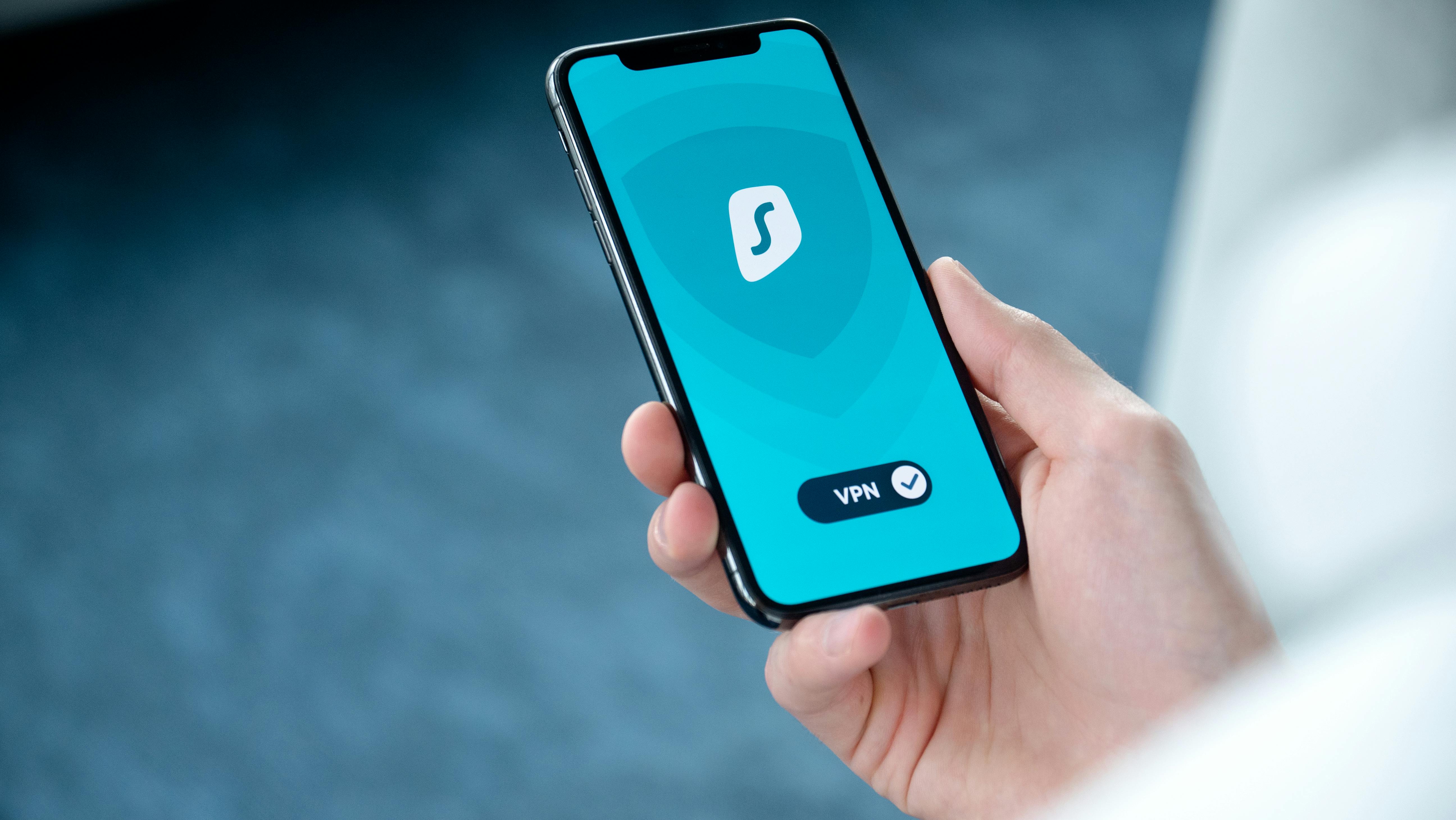
10. Can You Use a Passkey on Someone Else's Computer?
Yes, in supported circumstances, and this is one of the most useful parts of passkey design.
Imagine borrowing a laptop to check an important account.
The laptop does not contain your passkey.
Instead of saving your credential permanently on that computer, you may be able to use your phone to authorize the sign-in.
How cross-device authentication works
When the website offers the option to use a passkey from another device, it may display a QR code.
You scan the code using your phone and follow the authentication prompt.
The devices establish a protected authentication process.
Supported flows use proximity verification, including Bluetooth Low Energy, to help confirm that the relevant devices are physically near each other.
The cryptographic protocol provides additional security beyond Bluetooth's ordinary transport protection.
Your phone can then authorize the authentication without transferring a reusable password to the borrowed computer.
The borrowed computer still matters
Passkeys protect the act of authentication, but they do not make an untrusted computer safe.
A compromised computer might record information displayed after sign-in, manipulate the browser session or steal session-related data.
Avoid accessing high-value accounts on public or untrusted computers whenever possible.
If you must use one, avoid saving credentials or leaving the session active. Sign out explicitly and review active sessions from a trusted device if the service supports that feature.
11. Passkeys vs Passwords vs Password Managers
Passkeys are sometimes described as the replacement for password managers.
That description is misleading.
A password manager is a tool that stores and manages credentials. A passkey is a type of credential.
Many modern password managers can store both passwords and passkeys.
| Feature | Traditional password | Password manager with strong passwords | Passkey |
|---|---|---|---|
| What proves access? | A shared secret | A stored shared secret | Cryptographic signature |
| Must remember each site's password? | Usually | No | No |
| Resistant to conventional phishing? | No | Autofill matching can help, but not completely | Yes, by design |
| Reuse across services | Possible and risky | Usually generates unique passwords | Unique credential per service/account |
| Website stores a password verifier | Yes | Yes | Not for passkey authentication |
| Works on almost all existing services | Yes | Yes, where passwords are accepted | Only where supported |
| Recovery | Depends on website | Depends on manager and website | Depends on provider and website |
| Can work across devices | Yes, if known | Often through sync | Often through sync or cross-device authentication |
| Primary risk | Theft, reuse, phishing | Vault security, phishing and recovery | Device/provider compromise and recovery weaknesses |
Password managers are still valuable
A good password manager remains useful even if you begin adopting passkeys.
Many online services continue to require passwords.
A password manager can create long, unique credentials for those accounts.
It can also store recovery codes, although particularly sensitive recovery information may warrant a separate secure backup.
Some password managers provide passkey synchronization across operating systems, which may be attractive to people who use different technology platforms.
The practical future is likely hybrid
For the foreseeable future, many users will maintain a mixture of credentials.
Some accounts will use passkeys.
Others will still require passwords.
A few may use hardware security keys or organization-specific authentication systems.
The goal is not to force every account into a single category immediately.
The goal is to choose the strongest practical authentication method each service offers and to make account recovery manageable.
12. Are Passkeys Really More Secure?
For the specific threats they were designed to address, passkeys offer substantial security advantages.
They remove the need for users to choose passwords, reduce exposure to reusable credential theft and provide strong resistance to conventional website impersonation.
These are properties of the authentication design, not merely claims from marketing campaigns.
However, it is important to separate three ideas: security of the authentication protocol, security of the device, and security of the overall account.
What is well established
Public-key cryptography allows authentication without exposing the private key to the website.
WebAuthn uses origin-related checks that help prevent a passkey from being used on an unrelated phishing domain.
A breach revealing registered public keys does not provide attackers with the corresponding private keys.
These are well-understood properties of the system.
What still depends on implementation
Security also depends on how a provider stores private keys, protects synchronization accounts, verifies users during recovery and manages active sessions.
Websites must implement account registration and authentication correctly.
Devices must remain protected against malicious software and unauthorized access.
A passkey cannot compensate for every weakness elsewhere in the system.
What is not yet settled
The long-term effects of widespread passkey adoption on every category of account takeover are still being studied.
There is not one universal statistic that accurately measures how much safer every user becomes after switching.
Such a number would depend on the services involved, the types of attacks, the users' devices, recovery policies and the previous authentication methods.
For example, moving from a reused password with no second factor to a passkey is a major improvement.
Moving from a unique password protected by a hardware security key to another properly configured phishing-resistant method is a different comparison.
Claims about universal percentages of improved security should therefore be treated cautiously unless they come with clearly explained methods and evidence.
13. The Risks and Limitations of Passkeys
Passkeys are an important improvement, but they do not make the rest of cybersecurity disappear.
Risk 1: Your device becomes the target
When authentication moves from memorized passwords toward protected devices, the security of those devices becomes more important.
A compromised operating system, malicious browser extension or attacker with sufficient device access may still threaten an account.
Use current software updates, reliable device locks and trusted applications.
Risk 2: Weak screen-lock protection
If a device permits passkey use after entry of a PIN, someone who learns that PIN may be able to authenticate.
The exact risk depends on the platform's protections and any additional checks required.
A short or easily observed screen-lock code deserves attention.
Where possible, use a strong device passcode and enable biometric authentication as a convenient additional protective layer.
Risk 3: Account recovery can undermine strong authentication
A website may allow passkey sign-in while continuing to offer password recovery through email, SMS or customer support.
If those older routes are vulnerable, an attacker may target them instead.
This is sometimes called a fallback problem.
Strong front-door authentication is less reassuring if the side door is poorly protected.
Risk 4: Synchronization creates dependency
Synced passkeys offer major convenience benefits, but they also create dependence on a credential provider.
Losing access to that provider may complicate recovery of multiple accounts.
This does not mean synchronization is inherently unsafe.
It means protecting the provider account and maintaining reliable recovery options becomes especially important.
Risk 5: Compatibility remains uneven
Different operating systems, browser versions and websites may present different passkey interfaces.
A passkey that works smoothly on one combination of devices may require a separate cross-device flow on another.
Older devices or restrictive workplace environments can create additional obstacles.
Risk 6: Migration between ecosystems can be inconvenient
Someone switching between Apple, Android and Windows may encounter credential-provider differences.
Cross-platform password managers can sometimes simplify the process.
Alternatively, the user may be able to authenticate with an existing device and register a new passkey on the replacement platform.
But this is not guaranteed for every account, and not every passkey can be exported.
Risk 7: Session theft remains possible
A website typically maintains an authenticated session after a successful sign-in.
Attackers who steal valid session material through malware or other weaknesses may bypass the need to authenticate again in some circumstances.
Passkeys do not inherently eliminate those threats.
Risk 8: Human deception does not disappear
Criminals may move away from asking for passwords and toward persuading victims to perform authorized but harmful actions.
For example, someone might be tricked into approving a fraudulent transfer after signing in securely.
A stronger login does not automatically make a transaction legitimate.
14. Do Passkeys Replace Two-Factor Authentication?
Sometimes, but the answer depends on the context.
Traditional two-factor authentication combines two different forms of evidence.
For example, a password is something you know, while a separate security key is something you possess.
Passkeys often involve possession of an authorized device or credential plus local user verification, such as a biometric or PIN.
That can satisfy strong multi-factor authentication objectives in many settings.
However, not every passkey operation has identical assurance properties.
Some workflows may permit user presence without requiring the same form of local verification. Organizations may also apply additional rules.
Regulatory and enterprise requirements differ.
The FIDO Alliance notes that some regulatory frameworks are still adapting to the treatment of passkeys as multi-factor credentials.
Should you turn off all your existing security protections?
Not simply because you added a passkey.
Review the service's recommendations and understand what the existing protections do.
An additional security requirement might protect sensitive account changes, recovery procedures or unusually risky transactions.
It might also be redundant under a particular well-configured passkey flow.
The appropriate answer depends on the account and the service's policies.
15. Should You Switch to Passkeys in 2026?
For most people with reasonably modern devices, the answer is yes — begin adopting passkeys where they are available, while preserving reliable recovery options.
That is different from saying everyone should immediately delete every password.
The best transition is deliberate.
Who should switch now?
People who regularly use supported devices and mainstream credential managers are generally well positioned to benefit.
This includes users who struggle to remember unique passwords, people who maintain important email and shopping accounts, and anyone who wants stronger protection against conventional phishing.
Users with several devices connected through a reputable credential provider may also benefit from straightforward synchronization.
People who frequently encounter phishing attempts may especially appreciate authentication that does not rely entirely on recognizing fake websites.
Who should proceed more carefully?
People using very old operating systems or unsupported devices may need to address compatibility first.
Users who share devices with other people should understand how device unlocking and credential access interact.
Someone with only one device and no prepared recovery route should establish backups before relying heavily on device-bound credentials.
People changing technology ecosystems soon may prefer a cross-platform provider or a carefully planned migration.
And users whose accounts are controlled by an employer, school or other organization should follow the relevant administrator's security policies.
Who may need stronger protection than an ordinary synced passkey?
Individuals facing targeted attacks may benefit from using properly configured hardware security keys or other high-assurance, phishing-resistant authentication systems.
That includes some journalists, political dissidents, systems administrators and people responsible for especially valuable assets.
The correct setup should reflect a realistic assessment of threats, not simply the desire to use the newest feature.
16. A Practical Passkey Migration Plan
Switching successfully requires less technical expertise than many people imagine.
The most important preparation is a plan for what happens when something goes wrong.
Day 1: Secure the device
Check your operating-system updates and screen-lock settings.
Make sure you use a secure PIN or passcode.
Review whether another person can unlock your device.
If you share a computer, consider whether the operating system has separate user accounts and whether your passkeys will be stored in a personal credential manager.
Day 2: Protect the credential provider
Identify where your passkeys will be saved.
It may be Apple Passwords, Google Password Manager, Microsoft Password Manager or another compatible provider.
Review the security and recovery settings for the account controlling that provider.
Add trusted recovery methods where appropriate.
Day 3: Create your first passkey
Choose a supported service.
Create a passkey and confirm that it works.
Test a new sign-in rather than assuming registration succeeded.
If you have a second device, verify how cross-device sign-in works.
Day 4: Prepare a backup
Make sure you can recover access if your main device disappears.
Depending on the service, that may involve a trusted second device, recovery codes, account-recovery contacts, another registered passkey or a hardware security key.
Do not assume that synchronizing a credential and backing up every aspect of your account are the same thing.
Day 5: Secure your most important accounts
Once you understand the process, prioritize services that matter most.
Primary email is especially important because it often controls password resets for other accounts.
Then consider financial services, cloud storage, shopping accounts and major social platforms where passkeys are supported.
Day 6: Review the remaining passwords
Use a password manager to identify reused or weak passwords.
Replace them with unique, strong passwords where passkeys are unavailable.
Keep appropriate second-factor protection.
A partial switch is still valuable.
Day 7: Test recovery readiness
Ask yourself a simple question.
If my phone disappeared tonight, could I still access my email and the credential provider that holds my passkeys?
If the answer is uncertain, revisit the recovery plan before removing existing authentication methods.
17. Five Passkey Mistakes to Avoid
Mistake 1: Creating passkeys on public computers
A passkey should normally be stored on a device or in a credential manager you control.
Avoid registering permanent credentials on public, borrowed or otherwise untrusted devices.
If you need access from another computer, use a supported cross-device authentication method instead.
Mistake 2: Treating a fingerprint as a magic security guarantee
Biometrics can make authentication convenient and protect access to credentials.
But they do not make a stolen or compromised device harmless.
Your screen lock, operating system and account-recovery settings still matter.
Mistake 3: Removing your last recovery method
Deleting older credentials before confirming that your new authentication system works can create unnecessary lockout risks.
Make sure you have tested alternatives.
Security improvements should not depend on optimistic assumptions about future recovery.
Mistake 4: Confusing passkey sign-in with every biometric login
A mobile application that lets you unlock an existing session with a fingerprint does not necessarily use passkeys.
True passkey authentication depends on cryptographic credentials associated with the online account.
Look for explicit passkey support in the service's authentication settings or documentation.
Mistake 5: Assuming every account is now passwordless
Even after adding passkeys, a website may retain passwords as fallback credentials.
That means protecting the remaining password and recovery routes may still be necessary.
A stronger sign-in option is valuable, but it does not automatically eliminate every older weakness.
18. The Future of Passwords: Will They Really Disappear?
The word passwordless suggests a clean ending.
One day, perhaps, users will simply stop being asked to invent and type passwords across most online services.
But technological transitions rarely happen everywhere at once.
Many businesses maintain older systems that were not built around modern authentication standards.
Some customers use devices that cannot provide a convenient passkey experience.
Organizations must accommodate account recovery, accessibility, regulatory obligations and administrative controls.
Passkeys are therefore likely to coexist with passwords for some time.
The strongest change may be invisible
The most important benefit may not be a dramatic new interface.
Instead, ordinary users may gradually stop thinking about authentication altogether.
They will unlock a device, approve a sign-in and continue with what they wanted to do.
Behind the scenes, the website will verify a cryptographic signature instead of comparing a user-supplied password.
That is a meaningful shift in the allocation of security responsibility.
Instead of asking millions of people to invent unguessable strings and recognize every phishing site, the system can provide stronger protection by design.
What remains uncertain beyond 2026?
Several questions do not yet have definitive answers.
How quickly will smaller businesses replace password-only login systems?
Will banking providers converge on consistent passkey experiences?
How smooth will movement between credential providers become?
Will users understand recovery procedures well enough to avoid being locked out?
And how effectively will services eliminate weak account-recovery routes that undermine phishing-resistant authentication?
The underlying cryptography is established. The challenge is now partly one of deployment, usability, interoperability and long-term account management.
19. A Final Security Checklist Before You Switch
Use this checklist before treating passkeys as your primary sign-in method.
- My phone or computer has a strong screen lock.
- My operating system and browser are updated.
- I know which credential provider stores my passkeys.
- My credential-provider account has reliable recovery options.
- I have another trusted device or a suitable recovery method.
- I have tested a passkey sign-in successfully.
- I understand whether the website still allows password recovery.
- I know how to review and revoke credentials after losing a device.
Completing the checklist does not guarantee perfect security. It does, however, address several of the most common practical problems people encounter when adopting a new authentication method.
20. Conclusion: The End of Passwords Is a Transition, Not a Deadline
The password has survived for decades because it is simple, universal and easy to implement.
But the weaknesses that make passwords dangerous are closely connected to those same qualities.
A password can be copied. It can be reused. It can be entered into the wrong website. It can be stolen from one service and tested against another.
Passkeys change the model.
They allow a device or credential manager to prove authorization through cryptography without handing over a reusable secret.
They also make secure authentication feel much more natural, turning an elaborate login procedure into something closer to unlocking a phone.
That does not mean the transition is finished.
People still need dependable recovery mechanisms. Websites still need to implement authentication carefully. Devices still require protection. And millions of accounts remain attached to older sign-in systems.
The most sensible approach in 2026 is neither to reject passkeys because they are unfamiliar nor to trust them blindly because they are new.
Start with supported services. Use a trustworthy credential provider. Protect your devices. Prepare recovery options. Keep strong passwords where necessary.
Then allow the new system to earn your confidence through everyday use.
Perhaps the real end of passwords will not arrive with a dramatic announcement.
Perhaps it will arrive one ordinary morning, when you sign in with a fingerprint, open your email, finish your coffee and realize you have not typed a password in weeks.
Key Takeaways
- Passkeys replace reusable passwords with public-key cryptography. Your device or credential provider holds the private key, while the website uses a corresponding public key to verify authentication.
- Your fingerprint is not sent to the website. Biometric verification or a device PIN normally authorizes passkey use locally.
- Passkeys are designed to resist conventional phishing. They are bound to the legitimate service's authentication identity rather than being secrets that can be typed into a fake site.
- Synced passkeys make switching devices easier. Compatible credential providers can securely synchronize passkeys between authorized devices.
- Losing your phone does not necessarily mean losing your accounts. Recovery depends on your provider, other devices, registered credentials and the service's recovery mechanisms.
- Google, Apple, Microsoft, PayPal, Amazon and some banks support passkeys. However, availability varies across accounts, regions, apps and devices.
- Password managers remain useful. They can protect passwords for services that have not adopted passkeys, and many can also store passkeys.
- Passkeys do not eliminate every security risk. Device compromise, session theft, scams and weak recovery procedures remain important.
- Most users should begin switching in 2026. Start with supported accounts and establish dependable recovery options before removing older authentication methods.
Frequently Asked Questions (FAQ)
1. What is a passkey in simple terms?
A passkey is a digital credential that lets you access a website or application without typing a password. It uses a cryptographic key stored on an authorized device or credential manager. You usually approve sign-in with a fingerprint, face recognition or device PIN.
2. Are passkeys safer than passwords?
For threats such as password phishing, credential reuse and stolen password databases, passkeys offer strong advantages. However, overall account security still depends on the device, the credential provider, account recovery and the website's implementation.
3. Can hackers steal a passkey?
Attackers may attempt to compromise devices, credential providers or the systems that protect private keys. Modern passkey systems are designed to make credential theft difficult, but no implementation is immune to every attack. Stealing a website's public key alone is not enough to authenticate.
4. What happens if I lose my phone with my passkeys?
If you use a synchronized credential provider, your passkeys may remain accessible on another authorized device or after successful provider-account recovery. Device-bound passkeys require another registered credential or a recovery procedure if the original authenticator is lost.
5. Do passkeys work without fingerprints?
Yes. Many passkey systems support face recognition, device PINs, passcodes or hardware security keys. Fingerprint authentication is not a universal requirement.
6. Can I use passkeys on both Android and iPhone?
Yes, with compatible credential providers or supported cross-device authentication. However, migration and synchronization depend on the provider and platform. Some setups may require registering additional passkeys.
7. Are passkeys stored in the cloud?
Some are. Synced passkeys can be stored and made available through encrypted credential synchronization systems. Device-bound passkeys remain on their specific authenticators instead.
8. Does Google support passkeys in 2026?
Yes. Google allows eligible account holders to create passkeys and use compatible devices for authentication. Users can review their passkeys at Google's official account settings page.
9. Does Apple support passkeys?
Yes. Apple supports passkeys for compatible websites and applications through its Passwords and iCloud Keychain systems. Passkeys can be used across supported devices associated with the same Apple Account.
10. Can I still use my password after creating a passkey?
Often, yes. Some services retain password sign-in or recovery options after a passkey is created. Others may allow passwordless accounts. Check the service's specific account settings.
11. Do I need to pay to use passkeys?
You generally do not need to buy a separate product to create passkeys using the built-in credential systems on supported devices. Some third-party credential managers or hardware security keys may involve a subscription or purchase cost.
12. Can a fake website steal my passkey through a QR code?
A legitimate cross-device WebAuthn flow uses cryptographic protections and website-origin checks. An ordinary fake login page cannot simply request authentication as an unrelated legitimate domain. However, malicious QR codes can still redirect users into scams, and attackers may pursue other forms of deception. Only begin authentication from websites you intentionally visit and trust.
13. Can someone use my passkey if they know my phone PIN?
Potentially, depending on the device, its security settings and the credential's verification requirements. A person who controls an unlocked device or knows the necessary device credentials may pose a threat. Protect your screen-lock code and avoid sharing device access.
14. Are passkeys the same as two-factor authentication?
Not exactly. Passkeys are cryptographic authentication credentials. When their use requires possession of an authenticator and local user verification, they can provide strong multi-factor properties. The precise requirements and regulatory treatment depend on the implementation.
15. Can passkeys be transferred to a new phone?
Synced passkeys can become available on a compatible replacement device after the credential provider has been successfully configured and access restored. Device-bound passkeys generally cannot be moved in the same way. You may need to create another passkey.
16. Should I delete all my passwords after enabling passkeys?
No. First verify that passkeys work reliably, that you have appropriate recovery options and that any remaining password sign-in methods are properly protected. Many accounts still depend on passwords for some tasks.
17. Do passkeys work without an internet connection?
The private-key operation can take place locally, but signing in to an online service generally requires connectivity so the service can send its challenge and verify the response. A passkey does not make an online account accessible offline by itself.
18. Can I share a passkey with a family member?
Some credential providers support controlled credential sharing, but availability and behavior vary. Sharing access may create accountability and security concerns. Where possible, use a service's official family, delegated-access or multi-user features instead of sharing personal authentication credentials.
19. Are passkeys secure enough for banking?
Properly implemented passkeys provide strong authentication properties suitable for sensitive services. However, banking security also depends on fraud monitoring, transaction authorization, account recovery and other protections. Availability is not universal, so follow your institution's specific guidance.
20. Will passwords disappear completely after 2026?
There is no reliable universal deadline for the disappearance of passwords. Passkeys have established a strong technical alternative, but businesses and users are transitioning at different speeds. Passwords are likely to coexist with passkeys for some time.
Sources and Further Reading
The following official technical standards, platform instructions and service documentation support the explanations in this article. Availability and interface details may change after publication.
- FIDO Alliance — Passkeys: Passwordless Authentication. Definitions, security properties, synchronization and phishing resistance. FIDO Alliance passkeys overview.
- Passkey Central — How Passkeys Work. Technical explanation of key pairs, registration, challenges and digital signatures. How passkeys work.
- W3C — Web Authentication (WebAuthn). The web standard describing public-key credentials and authentication operations. WebAuthn Level 3 specification.
- Google Account Help — Sign In With a Passkey Instead of a Password. Creation, sign-in settings and device-security considerations. Google passkey help.
- Google — Sign In Quickly and Securely With Passkeys. Official Google article published October 8, 2026. Google passkey setup guidance.
- Apple Support — Use Passkeys to Sign In to Websites and Apps on iPhone. Creation, use, management and cross-device authentication. Apple passkey instructions.
- Apple Support — Make Passwords and Passkeys Available Across Devices. iCloud Keychain synchronization and recovery mechanisms. Apple iCloud Keychain and recovery.
- Microsoft Support — What Are Passkeys and Why They Matter? Passkey authentication with Windows Hello and compatible credential managers. Microsoft passkey guidance.
- Microsoft Support — Troubleshoot Signing In With a Passkey. Common issues and replacement-device considerations. Microsoft passkey troubleshooting.
- PayPal Help — What Is a Passkey and How Do I Use It? Supported platforms, creation and management. PayPal passkey documentation.
- Chase — How You Can Protect Yourself. Chase's published passkey availability and security guidance. Chase security and passkey guidance.
- Amazon Help — Why Can't I Sign Into My Account? Explanation of supported authentication methods, including passkeys. Amazon account sign-in help.
Editorial note: This article was prepared for The Jornal using official technical and platform documentation available as of November 13, 2026. Service availability may vary by country, account type, browser, device and future policy changes. The article distinguishes established cryptographic properties from implementation-dependent security and does not assume that every provider has fully eliminated passwords.
The conversation
Post a Comment